
Table of Contents
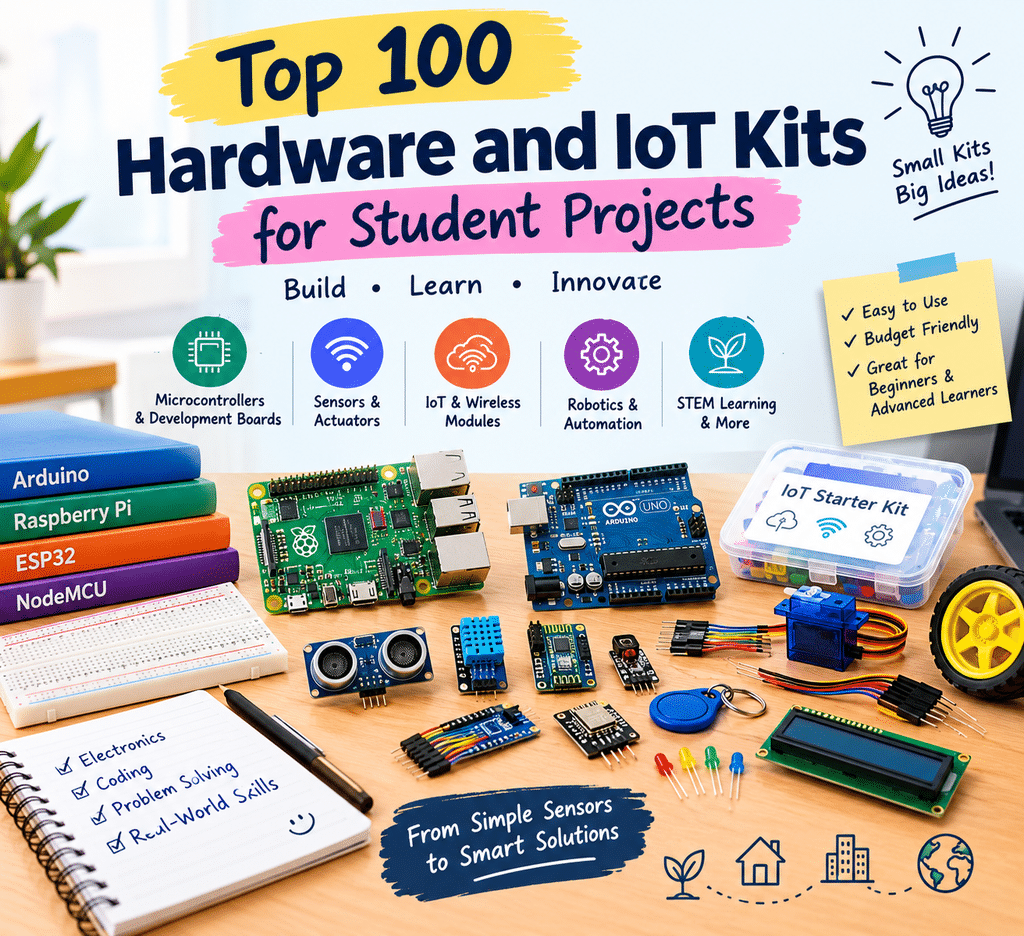
Hardware and IoT kits for student projects give engineering students an opportunity to turn classroom concepts into working prototypes. Building even a small device can teach practical skills in electronics, programming, circuit design, sensor integration, and debugging. A temperature monitor or automatic plant-watering system, for example, can help students understand how software interacts with physical components.
Hardware projects are also useful for developing a portfolio. A working prototype, supported by clear documentation and a demonstration video, can help students explain their technical abilities during project reviews, hackathons, and internship interviews.
This guide introduces ten categories of hardware and IoT kits, explains what each category is useful for, and compares some popular examples. It is designed to help students choose a suitable starting point based on their project goals, experience, and budget.
Why Should Students Build Hardware Projects?
Software projects are valuable, but hardware projects introduce an additional layer of practical problem-solving. Students must work with physical components, understand electrical connections, read sensor data, and troubleshoot issues that may not appear in a software-only project.
A hardware project can help students develop skills in:
- Electronics: Understanding circuits, voltage, current, and component connections.
- Programming: Writing code to control boards, read sensors, and process data.
- Embedded systems: Learning how software operates on resource-constrained devices.
- Communication protocols: Working with technologies such as Wi-Fi, Bluetooth, MQTT, and LoRa.
- Debugging: Identifying problems in both hardware connections and software logic.
- Project documentation: Recording the design, implementation, testing, and results.
Many beginner projects can be built using affordable development boards and basic sensors. However, the total cost depends on the board, components, tools, and accessories required.
Why Are Hardware and IoT Projects Relevant?
Connected devices are used in several areas, including agriculture, healthcare research, manufacturing, energy management, and robotics. These applications provide students with opportunities to explore real-world engineering problems.
Some important areas include:
- Smart agriculture: Soil-moisture sensors, weather monitoring, and automated irrigation.
- Health technology: Educational prototypes that collect and display selected health-related measurements.
- Industrial IoT: Monitoring equipment conditions and identifying unusual sensor readings.
- Smart energy: Measuring power usage and exploring energy-management systems.
- Robotics and drones: Developing systems for movement, sensing, and automation.
- Edge AI: Running selected machine-learning tasks locally on compatible hardware.
These areas can inspire student projects, but a classroom prototype is not automatically a commercial product. Reliability, safety, testing, manufacturing costs, and applicable regulations must be considered before real-world deployment.
10 Categories of Hardware and IoT Kits for Student Projects
The following categories cover common development boards, components, and project kits. The examples are representative options rather than a verified ranking of the 100 most popular products.
1. Microcontroller Starter Kits
Microcontroller starter kits are suitable for students who are new to electronics and embedded programming. They usually include a development board, basic components, jumper wires, and sometimes a breadboard.
Examples include:
- Arduino Uno starter kits
- Arduino Nano boards and kits
- Arduino Mega boards
- Arduino Leonardo boards
- ELEGOO starter kits
- Keyestudio starter kits
Best for: Learning basic electronics, controlling LEDs, reading sensor values, and building simple automation projects.
Difficulty: Easy to medium.
2. Wi-Fi and Bluetooth Development Boards
These boards are useful when a project needs wireless communication. Students can connect sensors to a network, send data to a dashboard, or control devices remotely.
Examples include:
- ESP32 development boards
- ESP8266 boards
- NodeMCU ESP8266
- Wemos D1 boards
- Arduino Nano 33 IoT
Best for: Smart-home prototypes, wireless sensor networks, and connected IoT applications.
Difficulty: Easy to medium.
3. Single-Board Computers
Single-board computers provide more computing capability than typical microcontrollers. They can run operating systems and support applications such as web servers, image processing, and automation.
Examples include:
- Raspberry Pi 4
- Raspberry Pi 5
- Raspberry Pi Zero 2 W
- Orange Pi boards
- BeagleBone boards
Best for: Home servers, automation, computer vision, and projects that need a full operating system.
Difficulty: Medium.
4. Raspberry Pi Pico Kits
The Raspberry Pi Pico family is based on microcontroller hardware and is suitable for low-cost embedded projects. Some versions, such as the Pico W, support wireless connectivity.
Examples include:
- Raspberry Pi Pico starter kits
- Raspberry Pi Pico W kits
- Pico sensor bundles
- Pico breadboard and component kits
Best for: Embedded programming, sensor projects, and affordable electronics experiments.
Difficulty: Easy to medium.
5. Sensor Kits
Sensor kits help students collect information from their surroundings. They are particularly useful for environmental monitoring, automation, and measurement-based projects.
Examples and components include:
- 37-in-1 sensor kits
- 45-in-1 sensor kits
- DHT11 and DHT22 temperature and humidity sensors
- MQ-series gas sensors
- Soil-moisture sensors
- Ultrasonic distance sensors
Best for: Weather stations, plant-monitoring systems, distance measurement, and environmental projects.
Difficulty: Easy to medium.
6. Robotics Kits
Robotics kits combine electronics, programming, motors, and sensors. They allow students to build moving systems and understand how hardware responds to its environment.
Examples include:
- 2WD robot car kits
- 4WD robot car kits
- Robotic arm kits
- Line-following robot kits
- Obstacle-avoiding robot kits
Best for: Robotics competitions, automation demonstrations, and beginner autonomous systems.
Difficulty: Medium.
7. Wearable and Health-Technology Kits
Wearable development projects combine sensors, microcontrollers, and displays to collect or present selected measurements. They can introduce students to sensor integration and low-power embedded design.
Examples include:
- Heart-rate sensor modules
- Pulse oximeter modules
- MPU6050 motion-sensor modules
- Educational ECG modules
Best for: Wearable prototypes, motion tracking, and educational health-technology experiments.
Difficulty: Medium.
Safety note: These components are suitable for learning and prototyping. A student-built device should not be presented as a clinically validated medical device or used to make medical decisions.
8. Smart-Home and Automation Kits
Smart-home kits help students understand how electronic devices can be controlled automatically or remotely. They often combine microcontrollers, sensors, switches, and communication modules.
Examples include:
- Relay modules
- RFID reader kits
- RFID access-control modules
- Smart-lock project kits
- Infrared remote-control kits
Best for: Home-automation demonstrations, access-control prototypes, and appliance-control projects.
Difficulty: Easy to medium.
Safety note: Mains-powered electrical projects can cause electric shock or fire. Beginners should use low-voltage demonstration circuits and seek qualified supervision for mains installations.
9. Long-Range and Cellular Connectivity Kits
Some projects need communication over longer distances or outside ordinary Wi-Fi coverage. These kits introduce students to different wireless and positioning technologies.
Examples include:
- LoRa development kits
- LoRa modules
- SIM800 GSM modules
- NEO-6M GPS modules
- Zigbee modules
Best for: Agricultural monitoring, remote sensor networks, and GPS-based tracking prototypes.
Difficulty: Medium to hard.
The right communication technology depends on the required range, power consumption, network availability, data rate, and local regulations. LoRa, cellular communication, GPS, and Zigbee serve different purposes and should not be treated as interchangeable.
10. Edge AI and Advanced Development Boards
Advanced boards allow students to explore computer vision, embedded machine learning, and more complex hardware applications. They generally require stronger programming and electronics knowledge.
Examples include:
- NVIDIA Jetson Nano
- NVIDIA Jetson Orin Nano
- ESP32-CAM
- Coral development hardware
- OpenMV camera boards
- STM32 development boards
Best for: Computer-vision prototypes, image processing, embedded machine learning, and advanced automation.
Difficulty: Medium to hard.
Check the exact model, memory, software support, and availability before purchasing. Different boards in the same product family can have significantly different capabilities.
Quick Comparison: 10 Hardware and IoT Kit Options
The following table gives a starting point for comparing representative boards and kits. Difficulty levels are approximate and depend on the project.
| Kit or board | Type | Suitable projects | Connectivity | Difficulty |
|---|---|---|---|---|
| Arduino Uno starter kit | Microcontroller | Basic electronics | No built-in Wi-Fi or Bluetooth | Easy |
| ESP32 development kit | Microcontroller | Smart-home and IoT | Wi-Fi and Bluetooth, depending on model | Easy–Medium |
| NodeMCU ESP8266 | Microcontroller | Low-cost Wi-Fi projects | Wi-Fi | Easy |
| Raspberry Pi 5 kit | Single-board computer | Automation and vision | Wi-Fi and Bluetooth, depending on configuration | Medium |
| Raspberry Pi Pico W | Microcontroller | Wireless embedded projects | Wi-Fi | Easy–Medium |
| 37-in-1 sensor kit | Sensor bundle | Environmental experiments | Depends on the controller | Easy |
| 4WD robot car kit | Robotics kit | Robotics and automation | Depends on the controller and added modules | Medium |
| LoRa development kit | Connectivity kit | Remote monitoring | LoRa | Medium–Hard |
| ESP32-CAM | Camera development board | Image capture and basic vision | Wi-Fi | Medium |
| Jetson Orin Nano | Edge AI computer | Computer vision and AI | Depends on the model and setup | Hard |
Hardware Project Ideas by Skill Level
Students can choose a project based on their current experience and the components available to them.
Beginner Projects
- Temperature and humidity monitor: Use a sensor and microcontroller to display environmental readings.
- Automatic plant-watering system: Use a soil-moisture sensor to control a small water pump.
- Ultrasonic distance meter: Measure distance and display the result on a screen.
Intermediate Projects
- RFID-based access-control prototype: Use an RFID reader to identify authorised cards or tags.
- Home energy monitoring prototype: Collect electrical measurements using an appropriate, safely isolated sensor module.
- Gesture-controlled robot car: Use a motion sensor or gesture interface to control a robot.
Advanced Projects
- Crop disease detection prototype: Explore image classification using a suitable dataset and edge-AI hardware.
- GPS and cellular vehicle-tracking prototype: Combine positioning and cellular communication modules.
- Predictive-maintenance sensor node: Collect vibration or temperature readings and analyse unusual patterns.
Before beginning, students should define the project’s requirements, select compatible components, and test each subsystem separately.
How to Choose the Right Hardware or IoT Kit
Buying a kit before deciding on a project can lead to unnecessary spending. Start by identifying what you want to build and then select hardware that meets those requirements.
Consider the following factors:
- Project requirements: Decide whether you need basic sensor control, wireless communication, image processing, or a complete operating system.
- Experience level: Beginners can start with Arduino, ESP32, or Pico kits. More advanced projects may require single-board computers or edge-AI hardware.
- Community and documentation: Popular development boards often have tutorials, example projects, and community discussions that make troubleshooting easier.
- Included components: Check whether the kit includes sensors, jumper wires, a breadboard, cables, and other required accessories.
- Compatibility: Verify operating-voltage requirements, communication interfaces, pin compatibility, software support, and power requirements.
- Budget: Include accessories, tools, shipping, and replacement components in the total cost.
- Safety: Use suitable power supplies and follow electrical and battery-safety instructions.
Understanding Your Budget
Prices vary by brand, seller, configuration, and location. The following ranges from the original draft can be used only as rough planning estimates, not as verified current market prices.
- Under ₹1,000: Basic ESP32 or NodeMCU boards, Pico boards, and selected sensor modules may be available in this range.
- ₹1,000–₹3,000: Some Arduino starter kits, RFID kits, and basic robot-car kits may fit this budget.
- ₹3,000–₹8,000: More complete sensor bundles, selected GPS or LoRa kits, and some single-board-computer accessories may be available.
- ₹8,000 and above: Advanced development boards, computer-vision hardware, and more comprehensive kits can require a larger budget.
Always compare the exact product model and package contents before buying. A board-only listing may look cheaper than a complete starter kit but require several additional purchases.
Turning a Student Prototype into a Bigger Project
A college project can become the starting point for a larger product, but it needs more than a working demonstration. Students should first identify a real problem and understand who experiences it.
For example, an agricultural monitoring prototype should address a specific challenge faced by farmers rather than simply collecting sensor data without a clear purpose.
A practical development process includes:
- Identify a real problem: Speak with potential users and understand their needs.
- Build a small prototype: Start with essential features instead of trying to develop a complete product immediately.
- Test in realistic conditions: Check accuracy, reliability, power consumption, and performance.
- Document the work: Publish code, circuit diagrams, component lists, and project explanations where appropriate.
- Create a demonstration: Record a short video showing the prototype working.
- Collect feedback: Ask users, mentors, and other students to test the project.
- Explore the next steps: Consider production costs, maintenance, safety, certification, and applicable regulations before commercialising it.
A well-documented project can demonstrate practical engineering ability even if it never becomes a startup.
Final Thoughts
Hardware and IoT kits give students a practical way to explore electronics, embedded systems, robotics, wireless communication, and artificial intelligence. From simple Arduino experiments to advanced edge-AI prototypes, there are options for different skill levels and budgets.
The best kit is not necessarily the most expensive or advanced one. It is the one that helps you complete a useful project, understand the technology, and explain the decisions behind your design.
Start with a manageable idea, build it carefully, document your progress, and improve it through testing. A small working prototype can be a valuable first step towards stronger engineering skills and more ambitious projects.
5. References
The supplied draft does not include a proper list of technical references. These official resources are suitable starting points for checking board specifications, capabilities, and documentation before publishing:
- Arduino documentation: https://docs.arduino.cc/
- Espressif ESP32 documentation: https://docs.espressif.com/projects/esp-idf/en/stable/esp32/
- Raspberry Pi documentation: https://www.raspberrypi.com/documentation/
- Raspberry Pi Pico documentation: https://www.raspberrypi.com/documentation/microcontrollers/
- NVIDIA Jetson documentation: https://developer.nvidia.com/embedded/learn/get-started-jetson-orin-nano-devkit
- STM32 documentation: https://www.st.com/en/microcontrollers-microprocessors/stm32-32-bit-arm-cortex-mcus.html
- LoRa Alliance: https://lora-alliance.org/